
The CRM model
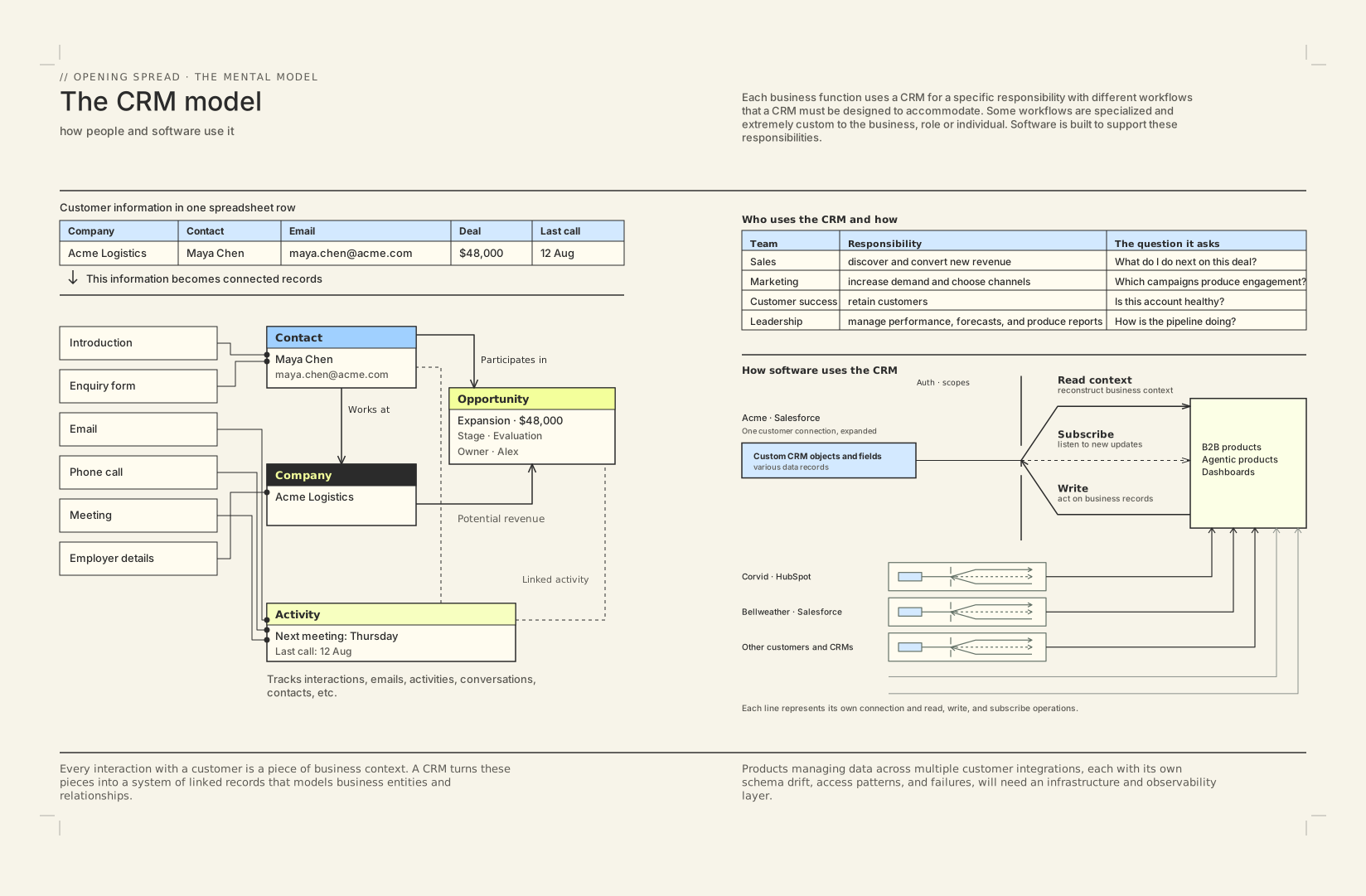
Click a diagram to explore it at full size.
7–8This book is for founders and engineers building products that read from and write to their customers’ CRMs such as Salesforce and Hubspot.

Selected pages from The Engineer’s Guide to CRMs
Click a diagram to explore it at full size.
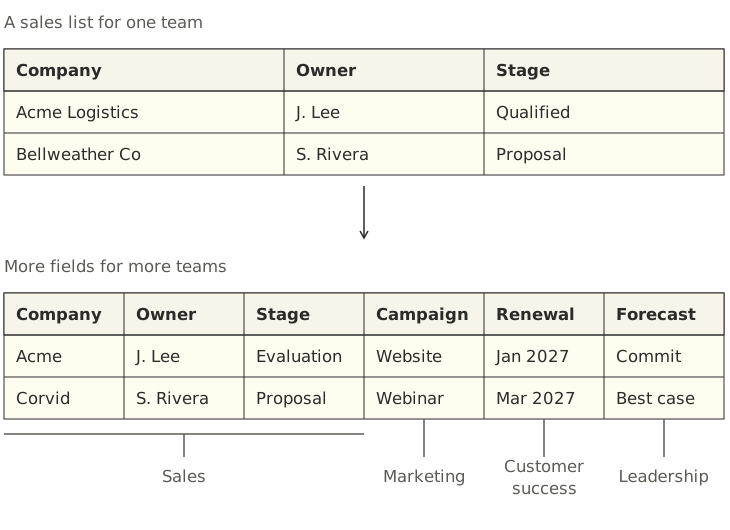
7–8A spreadsheet can store customer information when a team starts out. As the business grows, other teams may need to work from the same sheet:
Each team may add its own columns. The spreadsheet becomes harder to use as the information, definitions, and handoffs multiply.
As more people contribute to customer information, teams need shared rules for ownership, status, and next steps. A CRM can require information before a deal advances, restrict who can change it, and assign work when a sale closes. It helps teams apply those rules consistently and track changes, but it cannot resolve disagreements for them.
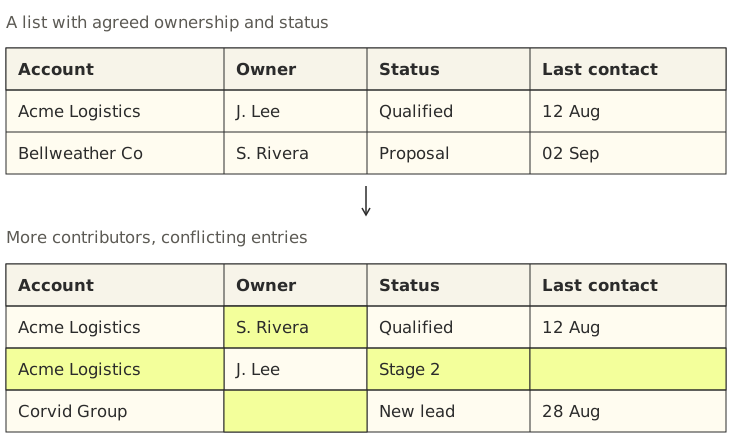
A CRM provides mechanisms for coordinating this work: shared records, permissions, change history, and workflows. These mechanisms help teams apply their process consistently, but the business still decides the rules.
16By Ayan Barua
There's a generation gap in software. Building an agent that works with an enterprise's systems is a little like asking Gen Z to work with their grandparents. They move at different speeds, communicate differently, and have different ideas about how things should get done.
I ran into this problem long before agents, at Siftery and later at G2, which acquired us. We were building products that depended on other companies' software. Our engineers had to learn inconsistent APIs, understand each customer's configuration, and keep data moving as those systems changed.
I came to understand that this is a domain expertise problem.
That experience led me to my co-founder Lauren, who had been helping developers connect their applications to other services through Firebase Extensions at Google.
Together, we started Ampersand. We now work with teams at 11x, Yelp, Square, Hatch, and others to connect their products with their customers' systems of record. This book brings together what we've learned from that work and from the engineers who build and support these integrations every day.